
iAUTO ENERGY EV Charging App - Use and Billing
East Brunswick Village EV Charging System

Public EV Chargers
Users have two choices when using public chargers:
App Free - Scan to Charge - Easy steps to provide payment via a website, no App required. Best for casual users.
EV Charging APP - Download the iAUTO EV Charging App for a more conveniant charging experience. Best for regular users.
Scan to Charge
Casual public users will no longer need an App with “Scan to Charge”. Simply scan the QR Code on the Charger you wish to use, then follow the prompts in your phones browser.
Frequent users of the public chargers should register to access the chargers with the EV Charging APP and RFID token for more convenience. Click here to register.
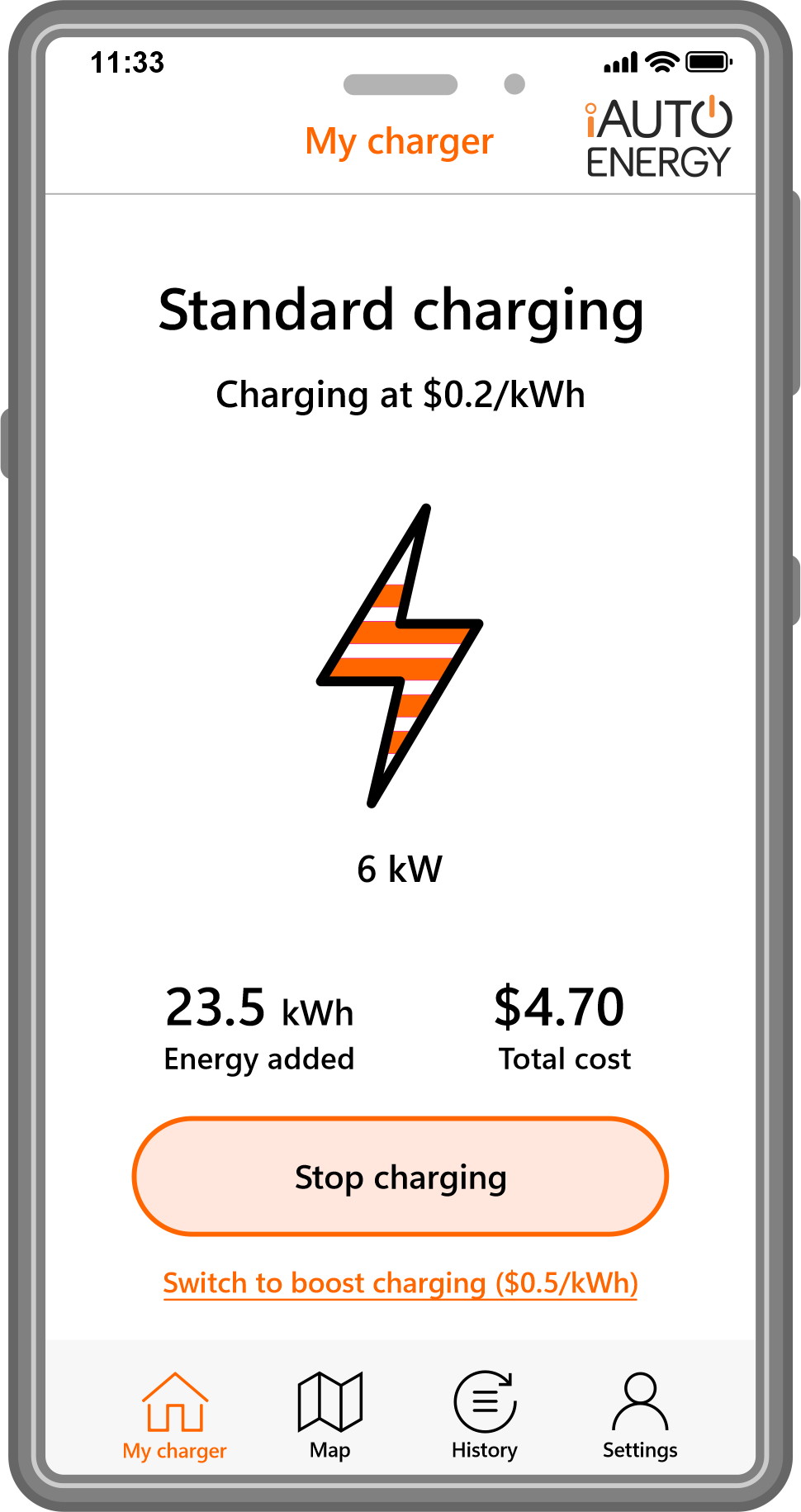
iAUTO EV Charging APP
What do you need to do.
To utilise the iAUTO EV Charging App, users will first need to register with the system. You will recieve email with temporary password and link to download the App.
Once you have registered your details online, you will recieve an email with a tempory password and links to Google Play and the Apple Store to download the App. Then follow the linked instructions to complete the process and begin charging.
Set Up a RFID Fob/Card for a better experience.
Setting up an RFID token gives you a smoother charging experience. You will be able to tap on to charge without having to open the app, as well as tapping to stop charging. To organise a RFID Fob, email ebv@iautoenergy.au to arrange.
The RFID token is registered to your App account. After you have tapped to charge, will will be able to monitor your charge status in the App.
Can I Use my Existing RFID Fob.
Yes, you can use your exisitng RFID token, it just needs to be registered with the new App.
Troubleshooting / Questions
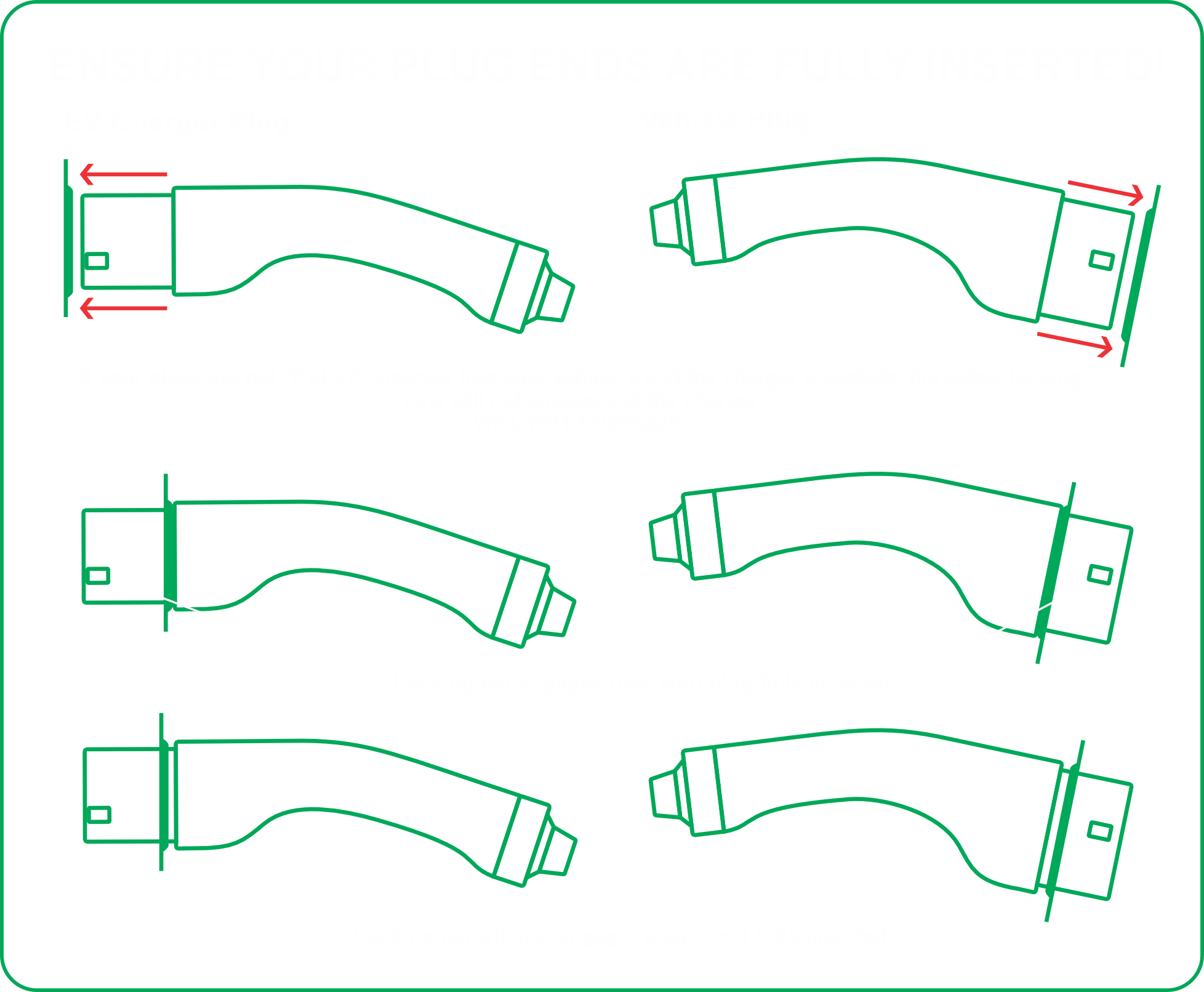
Ensure your plug ends are fully inserted to activate charging.
Plugs need to be inserted firmly in place ensure the locking pins will be able to engage. New vehicles, new plugs and new chargers may require some additional effort to fully seat the EV charging cable plugs into a vehicle and charger, until worn in.
For any issues or questions, please email ebv@iautoenergy.au or call 1800 225 063 Ext 1 during business hours.
Fault Reporting

FAQ
-
If the app or browser is unresponsive, frozen, or won't load:
Do not force-unplug the connector while power may still be flowing.
End the charging session from your vehicle instead — most EVs let you stop charging via the dashboard screen, a button near the charge port, or the vehicle's own app.
Once the vehicle confirms charging has stopped, the connector's lock will release and it can be safely removed.
If the vehicle also can't stop the session, contact support using the number/QR code on the charger unit.
-
This is dependant on the location of the charger and its intended use.
Privately Owned: No, the charger may be set to “Free Charge” or have an RFID token asigned to it.
Privately Owned - Common Parking Area: Yes, if your Charger is connected to a common power supply and your OC has implemented a billing system to recover the costs of energy and/or infrastructure in place.
Publicly Available: Follow the instructions on the charger to initiate charging. The iAUTO ENERGY “Scan to Charge” system does not require an App and utilises a web browser for payment detials and connection.
However, if a charger is regularly used, the iAUTO EV Charging App can create greater convenience and also allow the registration of RDIF tokens to make charging even easier.
-
Yes. EV charging connectors and sockets are designed and rated for outdoor use in wet weather. Just make sure the connector is fully seated in the vehicle inlet before starting a session.
-
The charger will not begin — or will stop — a session if it doesn't detect a secure connection. This is a safety feature, not a fault. Reseat the connector fully and check the status indicator again before retrying.
-
No. Never attempt to hold, wedge, or tape a connector in place to force a session to start. A loose connection is a safety risk. Fully reseat the plug instead.
-
Charging speed can be limited by the vehicle's battery state of charge (charging slows above ~80%), battery temperature, or the maximum rate your vehicle's battery accepts, regardless of the charger's maximum output.
-
Check the physical status light on the unit first. If it shows a normal "charging" or "ready" state, the issue is likely just app connectivity. You can safely leave the vehicle charging and retry the app later, or end the session from the vehicle if needed.
-
Unplug only after confirming (via the vehicle, if needed) that no active session is running, then note the fault code and contact support.